
Sections
Video carousel
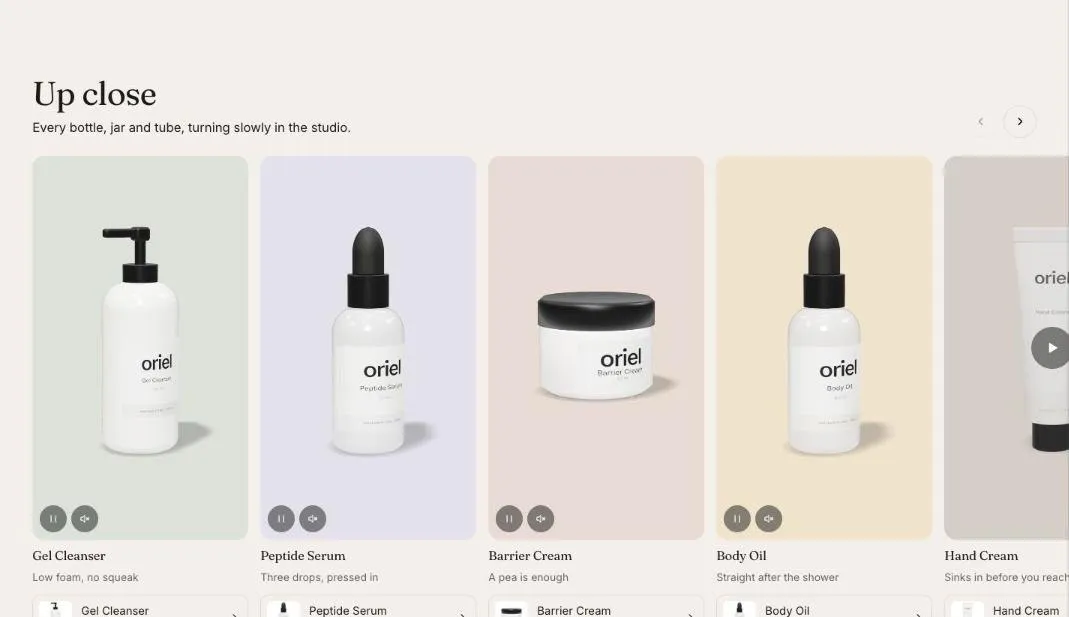
A row of short videos with titles and product links.
Video carousel shows a row of short videos, each with a title and an optional product link. It scrolls with buttons on larger screens and swipes on phones.
Add the section
Section titled “Add the section”- Open Online Store > Themes > Customize and go to any page.
- Click Add section and choose Video carousel.
- Fill in the content, then click Save.
Section settings
Section titled “Section settings”| Setting | Type | What it does |
|---|---|---|
| Heading | Text | Leave empty to hide it. |
| Text | Rich text | Supporting copy under the heading. |
| Video shape | Choice | Portrait / Square / Landscape. |
| Play muted previews | On or off | Shopify-hosted videos loop silently while on screen. Off for shoppers who prefer reduced motion. |
| Color scheme | Color scheme | One of the schemes from Theme settings > Colors. |
Blocks
Section titled “Blocks”You can add up to 12 blocks.
| Setting | Type | What it does |
|---|---|---|
| Video | Video | |
| Or a YouTube or Vimeo link | Video link | The player loads only after the play button is pressed. |
| Cover image | Image | |
| Heading | Text | Leave empty to hide it. |
| Caption | Text | |
| Product | Product |