
Sections
Blog posts
The latest posts from one blog.
Blog posts shows the latest posts from one blog as a grid on larger screens and a swipeable row on phones.
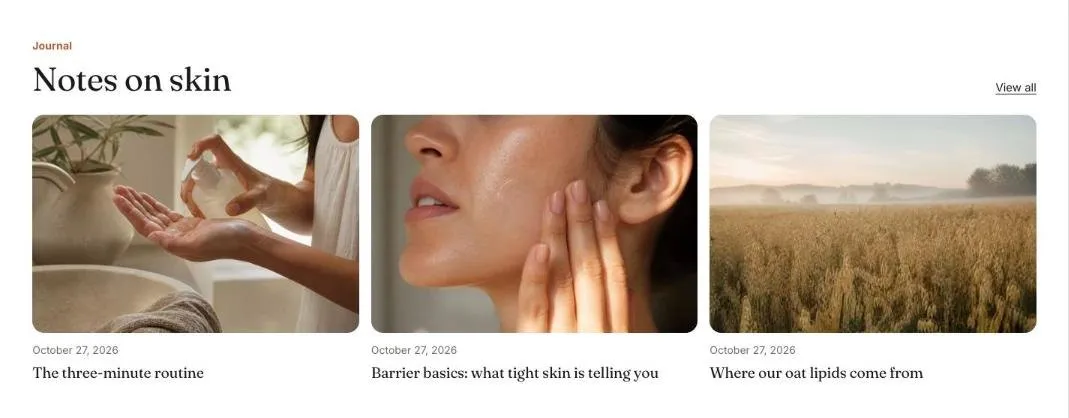
Add the section
Section titled “Add the section”- Open Online Store > Themes > Customize and go to the home page (or any template).
- Click Add section and choose Blog posts.
- Fill in the content, then click Save.
Section settings
Section titled “Section settings”| Setting | Type | What it does |
|---|---|---|
| Small heading | Text | A short line above the heading, such as a category or a promise. |
| Heading | Text | Leave empty to hide it. |
| Blog | Blog | |
| Posts to show | Slider | 2 to 4. |
| Show date | On or off | |
| Show excerpt | On or off | |
| Show “View all” link | On or off | Links to the full collection or blog. |
| Color scheme | Color scheme | One of the schemes from Theme settings > Colors. |