
Sections
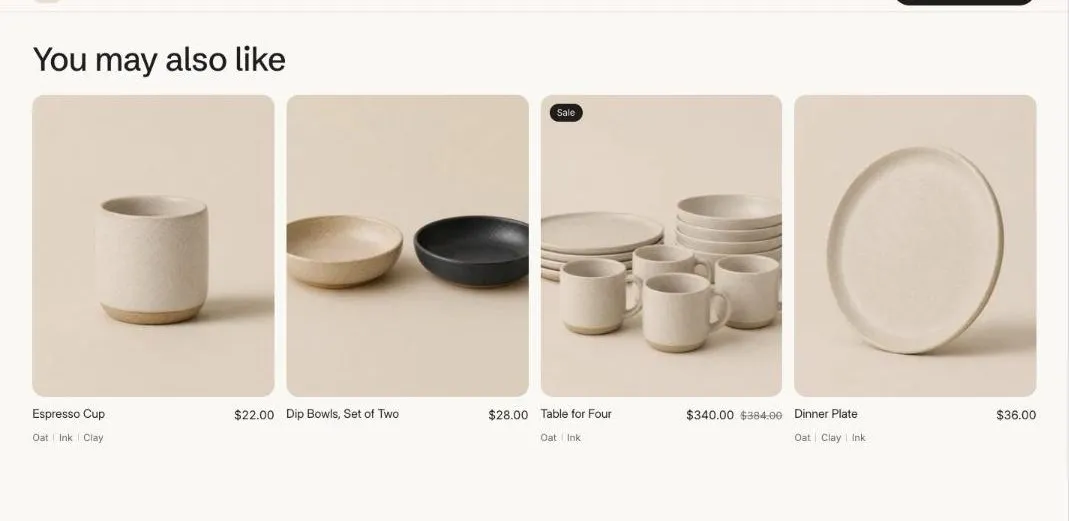
Product recommendations
Related or complementary products picked by Shopify.
Product recommendations shows related products chosen by Shopify, or complementary products you pick in the Search and Discovery app.
Add the section
Section titled “Add the section”- Open Online Store > Themes > Customize and go to the product template.
- Click Add section and choose Product recommendations.
- Fill in the content, then click Save.
Section settings
Section titled “Section settings”| Setting | Type | What it does |
|---|---|---|
| Heading | Text | Leave empty to hide it. |
| Recommendation type | Choice | Related products / Complementary products. |
| Products to show | Slider | 2 to 10. |
| Products per row on desktop | Slider | 2 to 5. |
| Show second image on hover | On or off | Shows the product’s second image when a shopper hovers over the card. |
| Color scheme | Color scheme | One of the schemes from Theme settings > Colors. |