
Sections
Testimonials
Customer quotes as a carousel, moving rows or a grid.
Testimonials shows customer quotes with an optional star rating, photo and product link, plus an optional rating summary above them. Choose one of three layouts:
- Carousel: large cards with previous and next buttons.
- Moving rows: rows that drift in opposite directions, with a pause button. Six or more quotes are split into two rows.
- Grid: every quote at once.
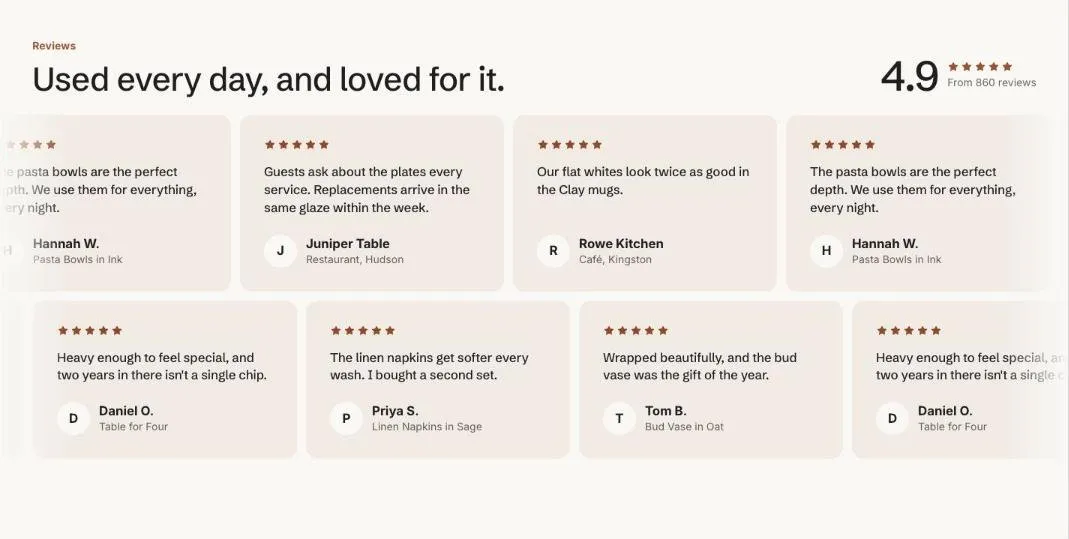
Add the section
Section titled “Add the section”- Open Online Store > Themes > Customize and go to the home page (or any template).
- Click Add section and choose Testimonials.
- Fill in the content, then click Save.
Section settings
Section titled “Section settings”| Setting | Type | What it does |
|---|---|---|
| Small heading | Text | A short line above the heading, such as a category or a promise. |
| Heading | Text | Leave empty to hide it. |
| Text | Rich text | Supporting copy under the heading. |
| Layout | Choice | Carousel / Moving rows / Grid. |
| Moving rows speed | Slider | 4 to 16 s. Seconds per quote for one full loop. Higher is slower. |
| Rating summary | ||
| Show rating summary | On or off | |
| Average rating | Text | |
| Summary text | Text | |
| Colors | ||
| Show to | Choice | Everyone / Everyone except wholesale customers / Wholesale customers only. Wholesale customers are shoppers signed in to a B2B company. The section always shows in the theme editor. |
| Color scheme | Color scheme | One of the schemes from Theme settings > Colors. |
| Card color scheme | Color scheme | The scheme used inside the cards, so they can stand out from the section background. |
Blocks
Section titled “Blocks”You can add up to 50 blocks.
| Setting | Type | What it does |
|---|---|---|
| Star rating | Slider | 0 to 5. |
| Quote | Rich text | |
| Name | Text | |
| Detail | Text | |
| Photo | Image | A square photo of the customer or their shelf. Shows their initial when empty. |
| Product | Product |
- Moving rows stop for shoppers who prefer reduced motion and can be scrolled by hand instead.