
Guides
Accent color per product
Tint each product page with the product's own color.
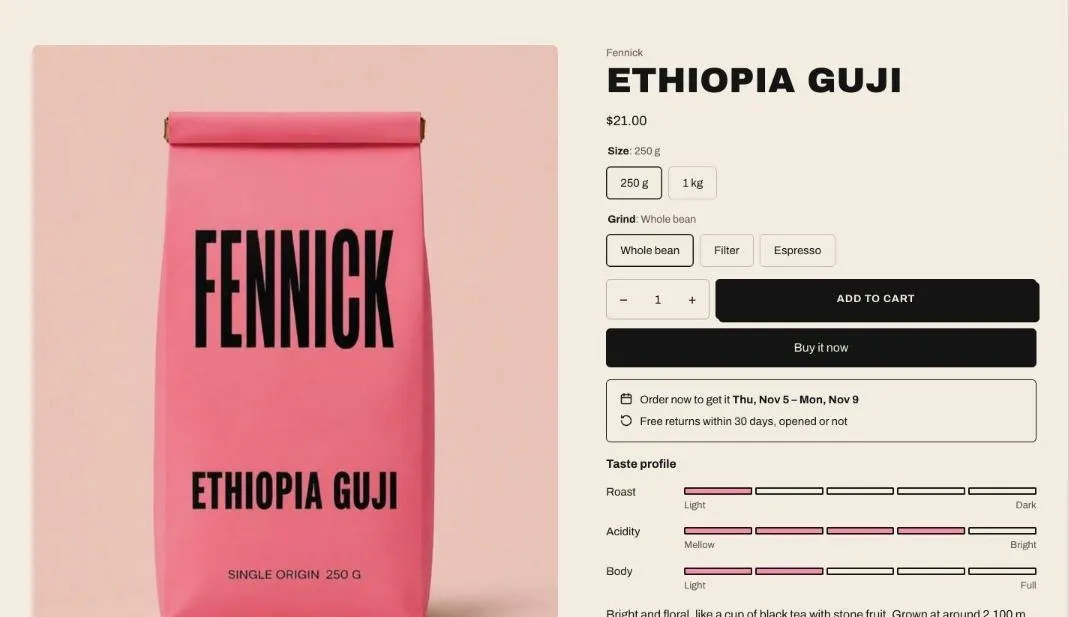
The accent color tints the image gallery background and fills the taste scale, so a product page picks up the color of the product: green for a matcha, amber for a honey.
- Go to Settings > Custom data > Products and add a Color definition, such as Accent with the key
custom.accent. - On each product, pick a color. A soft, light shade works best behind product photos.
- In the theme editor, select Product information and enter
custom.accentin Accent color metafield.
Products without a color use the section’s color scheme.