
Collections and search
Collection filters
Add filters for price, availability, options and metafields.
Filters come from Shopify’s free Search and Discovery app. Tandem shows them in a sidebar on larger screens and a drawer on phones.
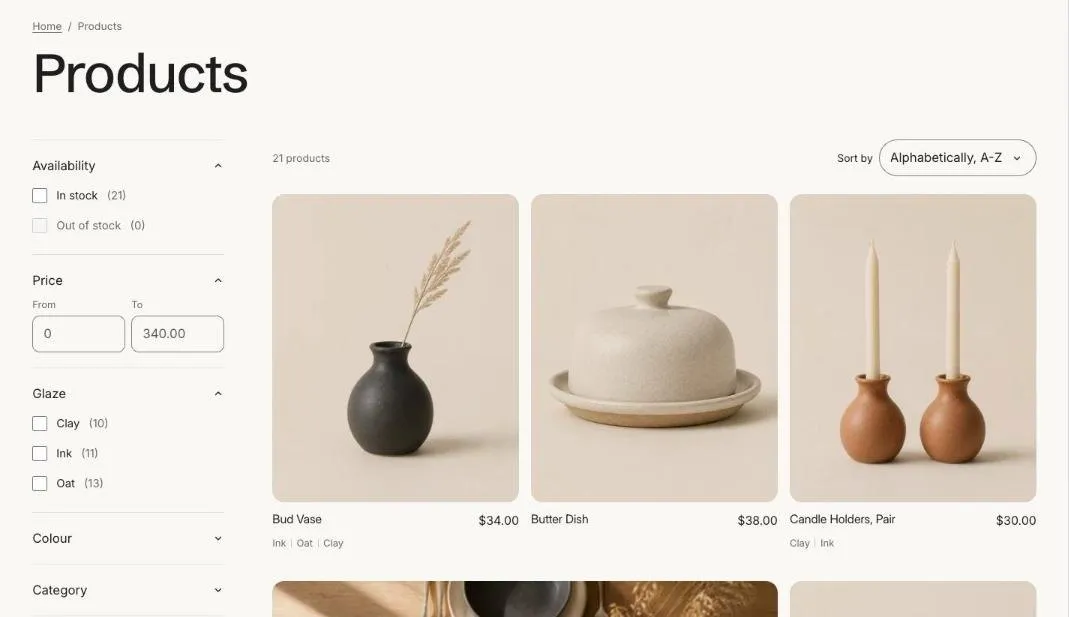
- Install Search and Discovery from the Shopify App Store if it isn’t already installed.
- In the app, open Filters and click Add filter.
- Choose a source: availability, price, product type, vendor, tags, a variant option such as size or color, or a product metafield such as material.
- Save, then make sure Enable filtering is on in the Product grid section of the collection template and in Search results.
Filter by metafield
Section titled “Filter by metafield”To filter by something like material or roast, create a product metafield first (see Metafields), fill it in on your products, then add it as a filter in Search and Discovery.